Start with the knowledge gap
The knight's posture can suggest fatigue, but it cannot reliably tell the player how much protection remains before a guardian's next blow. The ember lantern can look weak without explaining whether one more restoration is possible. Those are good reasons for a HUD. Begin by listing the decisions that require exact or persistent knowledge. Health, an ally's condition and a limited resource may qualify; the name of every room may not. In Shadow & Ember, the interface earns its space by supplying what the scene cannot communicate dependably enough for a decision.
Give the eye a dependable address
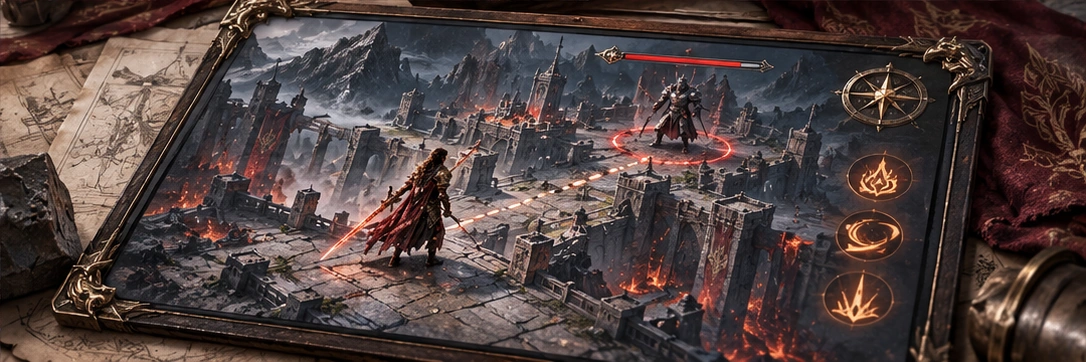
Information needed repeatedly should occupy a stable place. If party status moves whenever a new companion joins, a familiar glance becomes a search. Keep a predictable order and leave room for changes in content without shifting the whole arrangement. Avoid placing every critical element near the knight merely to keep the player's eyes central; labels can cover the very guardian pose that matters. A small, consistent journey between the world and the interface can be easier to learn than a cluster that follows every movement across the arena.
Show the relationship, not just the number
Suppose an ally can protect the knight but is already holding back a second guardian. A party portrait and a full health bar do not explain that commitment. A restrained status cue can show the occupied role, with a fuller description available when planning. Group related information so the player can compare it without reading separate corners of the screen. This is where tactical detail belongs. The active view can carry the immediate state, while a pause or command view supports deeper inspection. Hiding a necessary dependency to achieve a cleaner screenshot is a poor bargain.
A quiet element still has to be readable
Secondary information can use less visual emphasis without becoming tiny or translucent. Test text over pale dust, dark masonry and the lantern's brightest effects. A stable backing or restrained outline may protect contrast better than continuously changing the text colour. Include the longest likely label and a larger text setting in the layout review. Decorative lettering can give headings character, but repeated combat reading deserves familiar forms. A HUD scaled for one monitor can fail from a sofa; the design needs to account for viewing distance, not just pixel dimensions.
Reduce noise by changing the question
The sanctuary return and the guardian encounter do not ask for the same information. Exploration can quiet combat-specific detail, provided urgent changes still appear and the player can inspect the full state when needed. Transitions should preserve familiar positions rather than rebuilding the HUD each time. Offer useful density choices where the concept supports them. Review an actual decision sequence: noticing an ally in trouble, checking the available response and returning attention to the guardian. The measure is whether that sequence remains understandable, not how little interface survives in a promotional image.
Explore Shadow & Ember