
Give the screen one main purpose
Before decorating a menu, state the decision it should help the player make. A weapon-selection screen, a journal and a settings page have different priorities even when they share the same visual language. Organise the information around that purpose and make the next useful action easy to identify. A collection of equally prominent panels can look rich while leaving the player uncertain where to begin. The screen should establish a clear relationship between the current choice, the information needed to judge it and the action that confirms or changes it.
Carry the world through materials
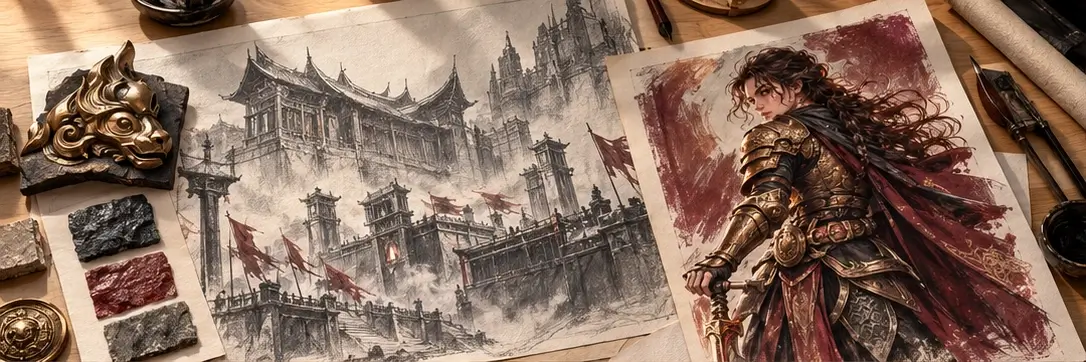
A menu can feel connected to a world through modest material and shape choices. Carved wood, worn paper or a restrained metal edge can echo the environments without competing with the information. Keep texture away from small text and let ornament frame a decision rather than interrupt it. The purpose is not to imitate a physical object at any cost. A believable journal still needs readable pages, and an elaborate chest still needs clear item categories. The game's identity should make the interface welcoming, not difficult to operate.
Explain the current state
Players need to know what is selected, what can be changed and what will happen when they confirm. Use consistent differences in shape, emphasis and wording to communicate these states. A decorative glow alone may be too ambiguous, especially when the world already contains glowing objects. Pair it with a clear label or stable selection marker. When an action is unavailable, explain the relevant condition near the action itself. This keeps the player from searching across the screen for a reason that belongs to one specific choice.
Design for entering and leaving
The transition into a menu should preserve the player's sense of context. Decide whether the world pauses, what happens to ongoing input and where focus begins. Leaving should return someone to a predictable place, with a clear indication of any change they made. Check cancellation as carefully as confirmation, including the route back from a nested screen. A menu is part of a sequence, not an isolated composition. Its opening and closing behaviour can either protect the rhythm of play or turn a simple choice into a repeated interruption.
Check the quiet details
Test labels at the smallest intended display size, translate a few representative strings and compare input methods. A beautifully centred heading does little if a longer label pushes its button outside the panel. Keep navigation order logical and preserve visible focus while using a keyboard or controller. Look for unnecessary steps that accumulate during repeated use, such as confirming an action that already has a safe undo. The most convincing menu combines character with reliability: it belongs to the world, yet remains considerate of the player who needs it many times.
Explore Shadow & Ember